
Review Time Limits
Review Time Limit restricts how long a student can review each individual assessment attempt.
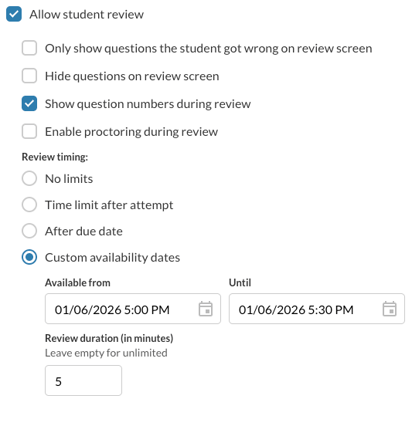
Configuring
- A review time limit can be configured on the Assessment Settings (under the settings gear) screen.
- The time limit applies per attempt, not per assessment. Starting a new attempt resets the review timer for that attempt only.
- The review timer starts immediately after submitting an attempt.
- The timer continues to run even if the student leaves the review screen or closes their browser.
- Once the time expires, the student is locked out of reviewing that attempt.
Student Experience Review Screen Behavior
- Displays the remaining review time above the list of attempts on all student review screens