
Enable Participation Grading
- Open the poll and click Edit.
- Select Enable Grading.
- Enter the point value for the poll.
- Save your changes.
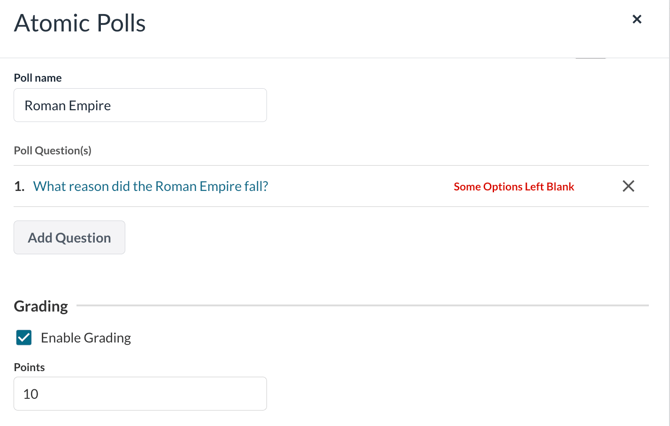
Figure 1: Shows the Enable Grading option
Once enabled, a corresponding gradebook column will automatically be created. When a student completes the poll, their score is sent directly to the gradebook.
How Participation Credit Works
- Students receive full credit when they answer all questions in the poll.
- If any question is left unanswered, no credit is awarded.
- Credit is based on completion only, not on answer accuracy.
Availability
Participation grading for polls is disabled by default.
To enable this feature for your application, please submit a support ticket to request activation via feature flag.